System Architecture
This section provides a high-level and detailed view of the DeskAlerts architecture.
It is intended to help understand how the system interacts with external services and how its internal components are structured.
System Overview
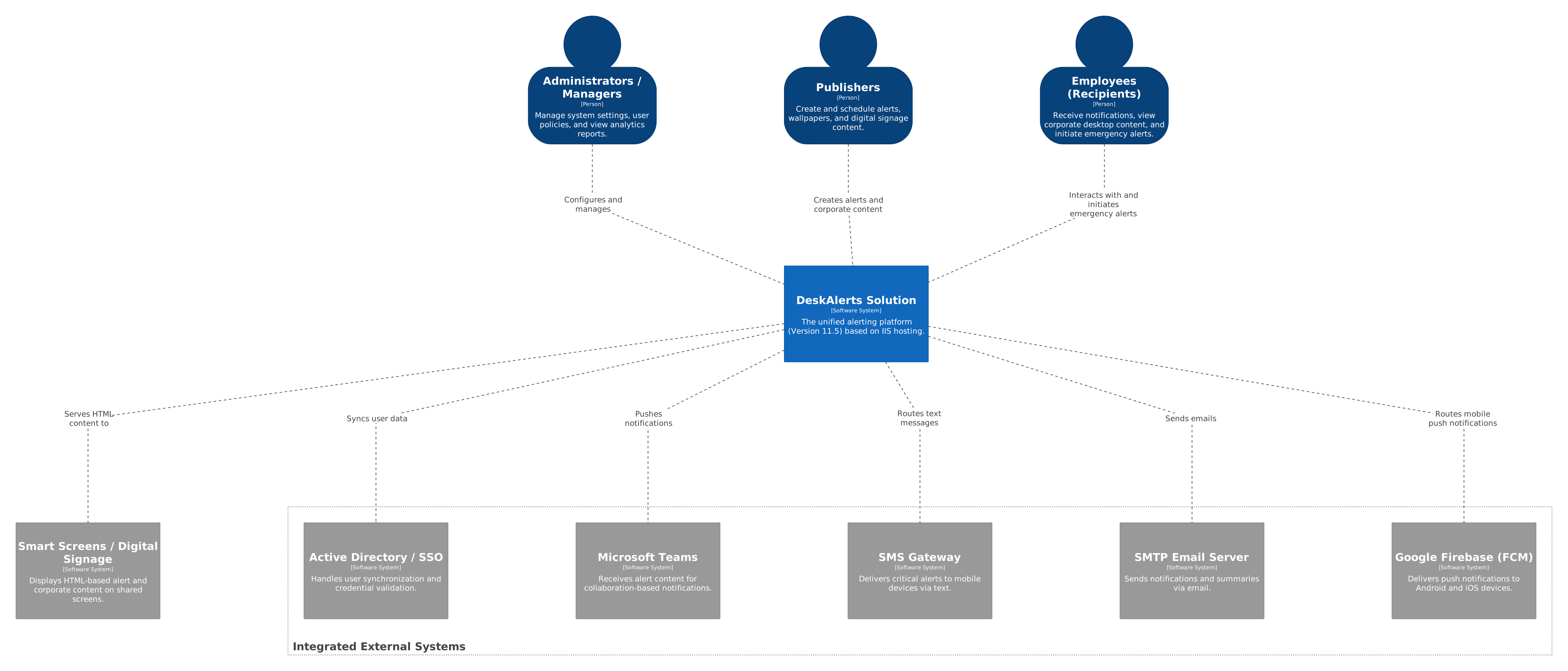
The diagram below represents the high-level system context. It shows how DeskAlerts interacts with users and external systems such as identity providers, messaging services, and infrastructure components.
Key Points
- DeskAlerts acts as a central notification platform for delivering alerts to end users
- Users interact with the system via desktop agents and administrative interfaces.
- The system integrates with external services such as:
- Active Directory / Azure AD for user synchronization and authentication
- SMTP servers for email notifications
- SMS gateways for mobile alerts
- External systems are not controlled by DeskAlerts but are essential for full functionality.
Internal Architecture
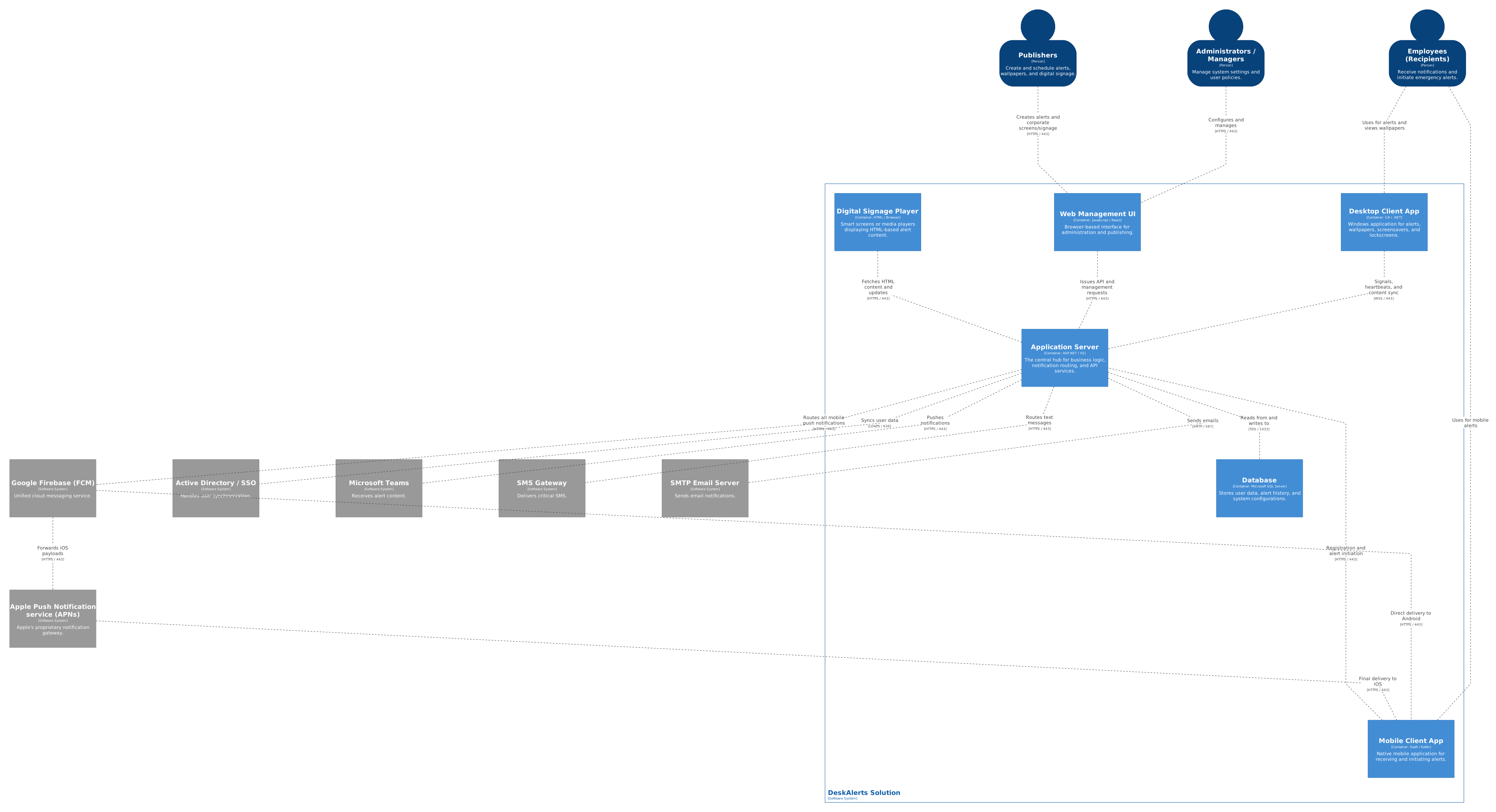
The diagram below represents the container-level architecture of DeskAlerts. It shows the main system components and how they interact with each other.
Key Components
-
DeskAlerts Server
- Core system responsible for processing and distributing alerts
- Handles communication with agents and external integrations
-
Database
- Stores configuration, users, alerts, and system state
-
Desktop Agents
- Installed on end-user machines
- Receive and display alerts
-
Web Interface
- Used by administrators to create and manage alerts
-
Integration Services
- Handle communication with external systems (AD, SMTP, SMS, etc.)
Notes
- The architecture may vary depending on the deployment type (on-premises or cloud).
- For production environments, high availability and scalability configurations are recommended.
- Security configurations (network access, authentication, encryption) should follow your organization’s policies.