DeskAlerts 11 Agent Installation on macOS
Overview
This guide explains how to install the DeskAlerts 11 Agent on macOS devices. Unlike the Windows version, the macOS installer file cannot be customized during installation. All configuration parameters (such as the server URL and registration type) are embedded in the .pkg file.
According to our internal security and distribution policies, DeskAlerts 11 installation packages are not published for public download.
To obtain the installation file for the current version, please contact our Support Team directly.
Make sure to provide the DeskAlerts Support team with your DeskAlerts 11 Server URL and desired registration type. They will generate a customized installation package for your organization.
This guide describes installation to macOS. If you are looking for a guide describing installation to Windows, please refer to the following article:
Installation Steps
Launch the Installer
Double-click the .pkg file you received from the DeskAlerts Support team to begin the installation.
You’ll be guided through the necessary steps by the macOS Installer wizard.
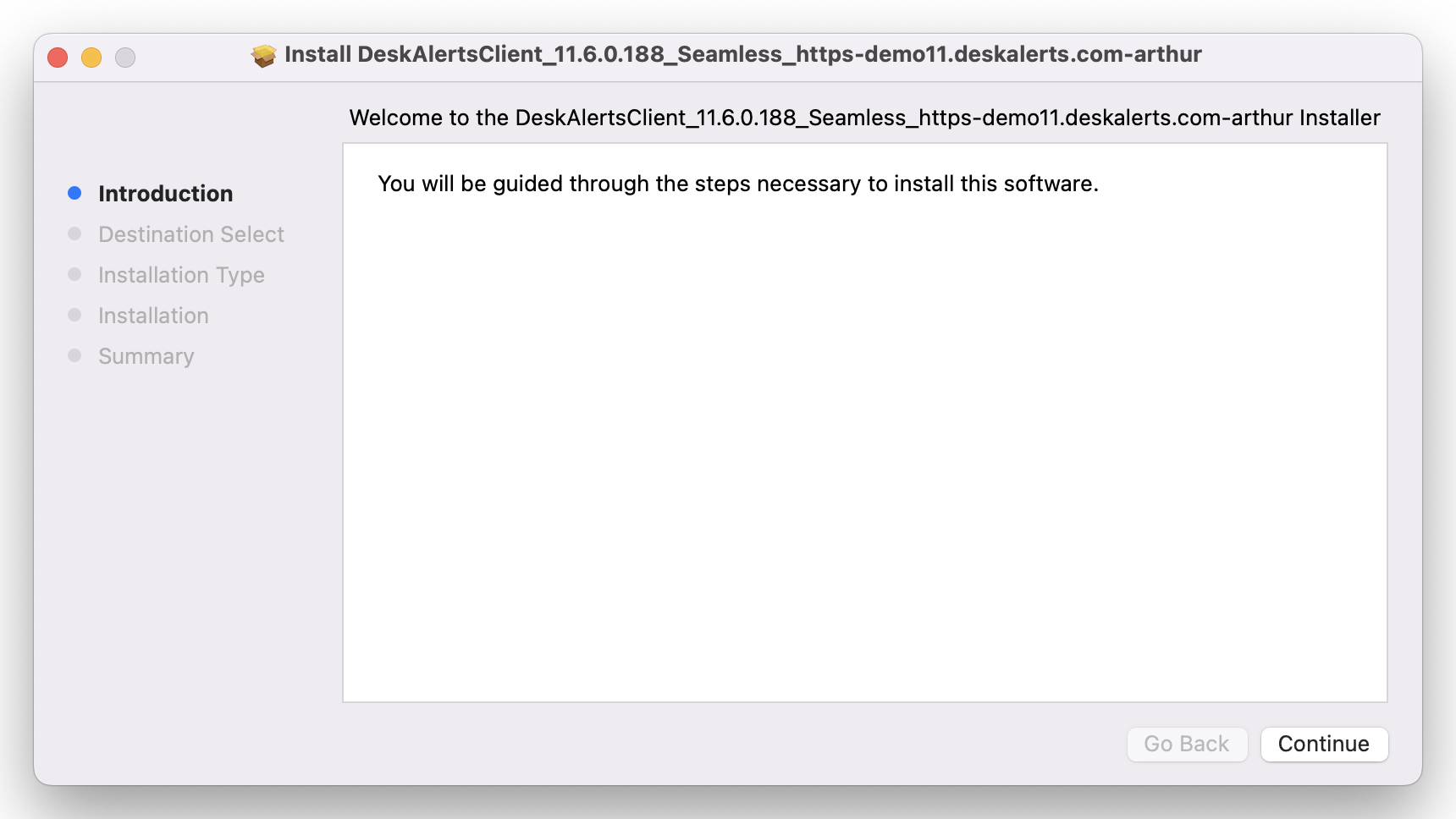
Follow the Installation Wizard
Proceed through the standard macOS installation steps:
- Introduction — Click Continue.
- Destination Select — Choose the target disk (usually Macintosh HD), then click Continue.
- Installation Type — Click Install.
- Installation — Wait for the process to complete.
- Summary — Once the installation is complete, click Close.
No additional configuration is needed during the installation process.
Verify the Agent
After installation, the DeskAlerts 11 Agent will launch automatically. A green “D” icon will appear in the macOS menu bar.
This indicates that the agent has successfully connected to the DeskAlerts 11 Server.
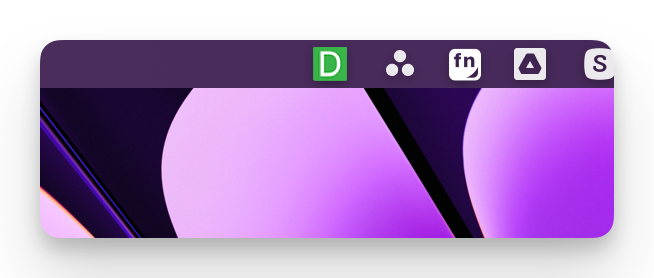
Check Connection Info
To verify the agent connection:
- Right-click the DeskAlerts icon in the menu bar.
- Select Info.
- Review the following information:
- Version
- Registration Type
- Name
- Server URL
- Hub State (should be Connected)
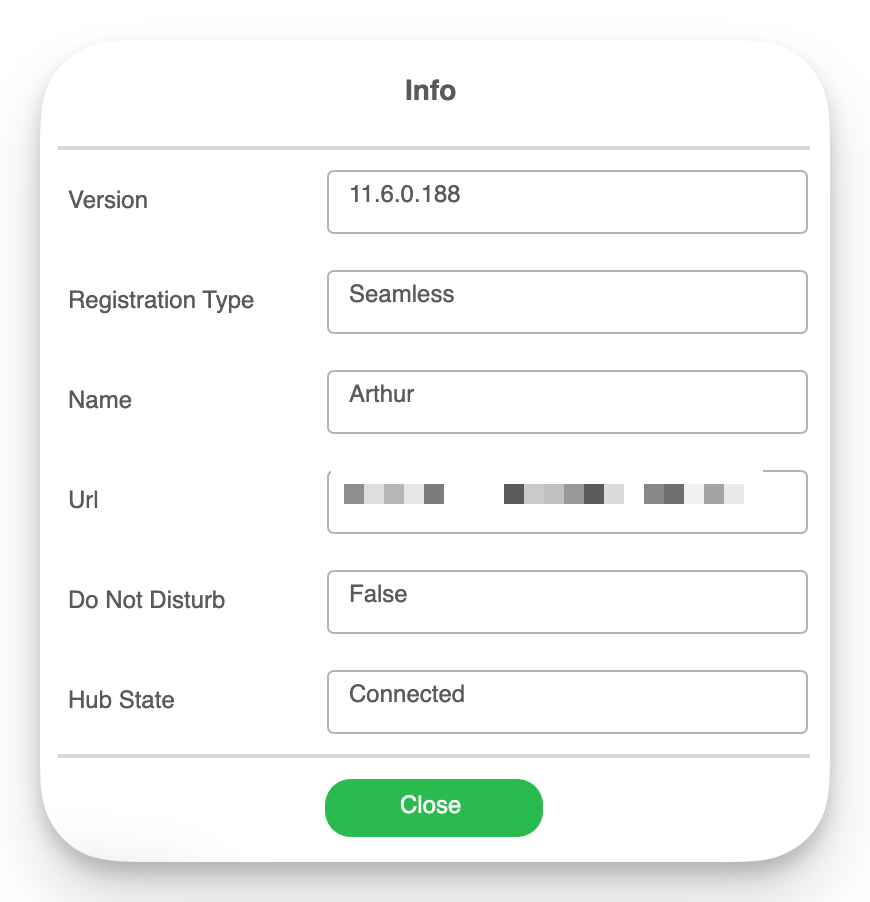
If everything looks correct, the agent is fully installed and connected.